Everything you need to manage
your aircraft records
Built for GA piston aircraft owners who want their maintenance records digitized, searchable, and shareable. The originals stay safe at home.
AI-powered OCR
From faded handwriting to structured data
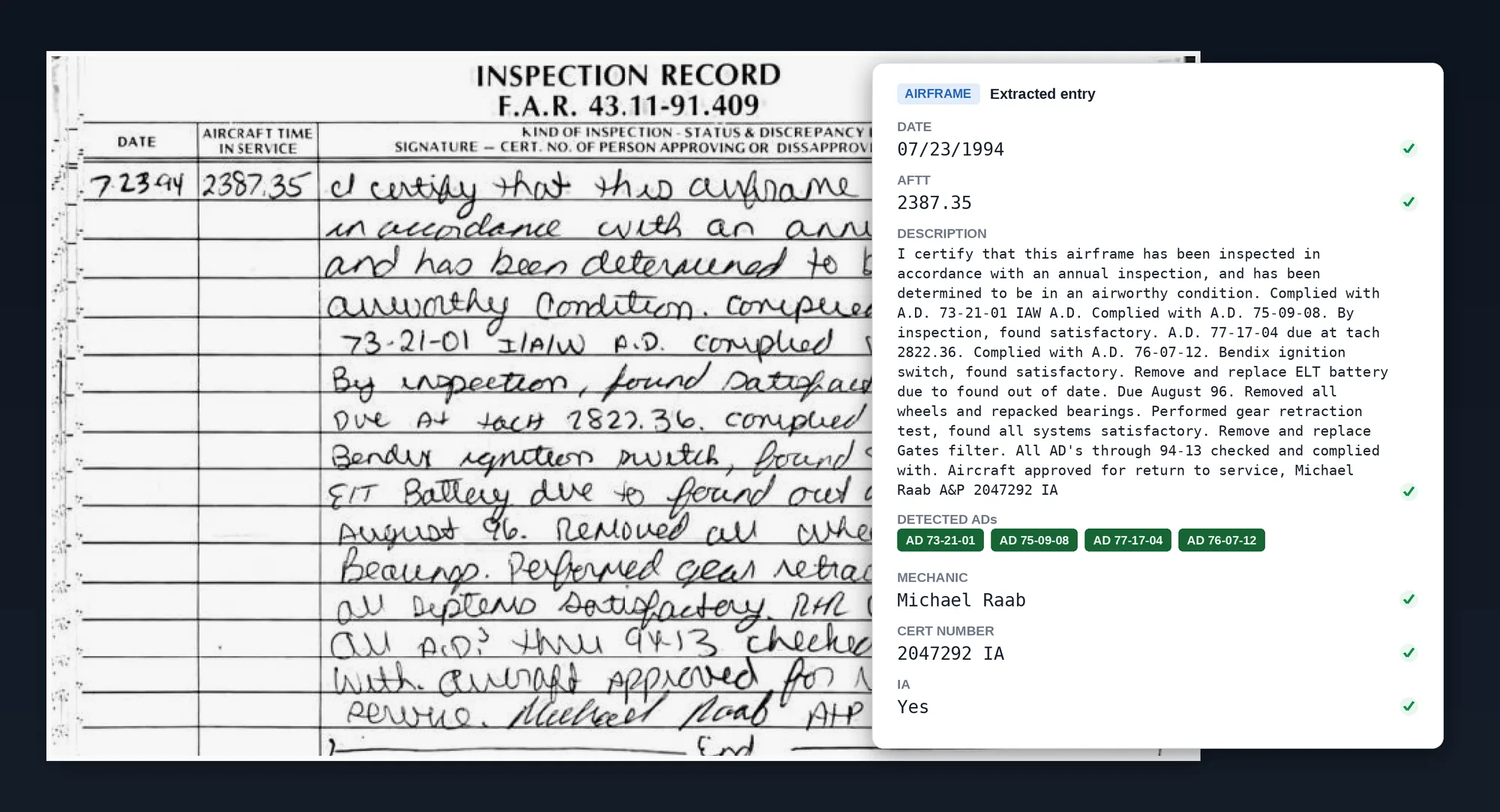
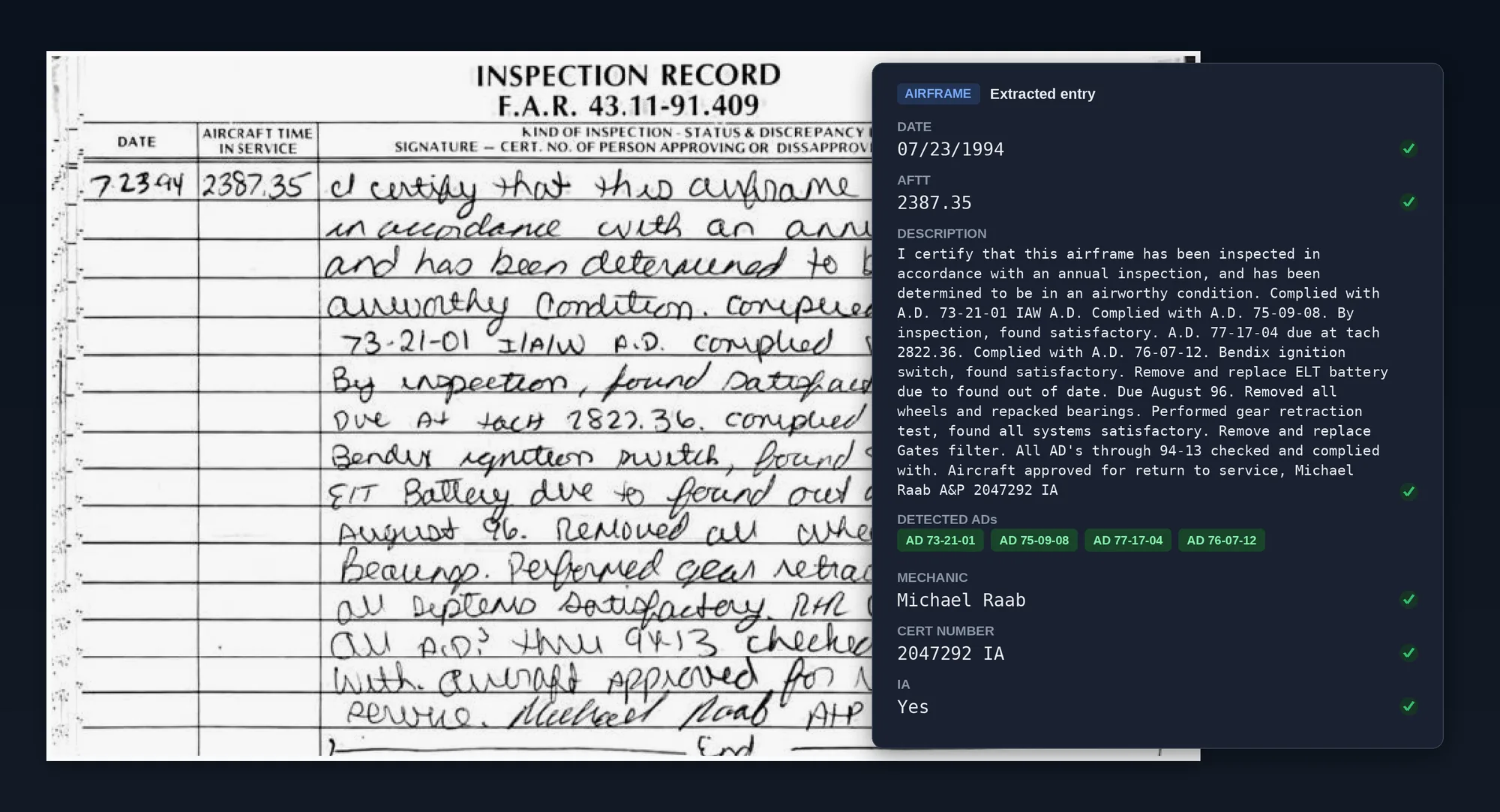
This 1994 annual was handwritten in a paper logbook. Runup reads the page and pulls out the structured details: the date, airframe time, the full description of work performed, and the mechanic's name, certificate number, and IA authorization. It also catches every airworthiness directive called out in the entry, like the four A.D.s complied with here, and tags them on the record. The original scan stays one click away, so you can always check the extraction against the source.
Scanning and Records
Digitize your logbooks and documents in one place
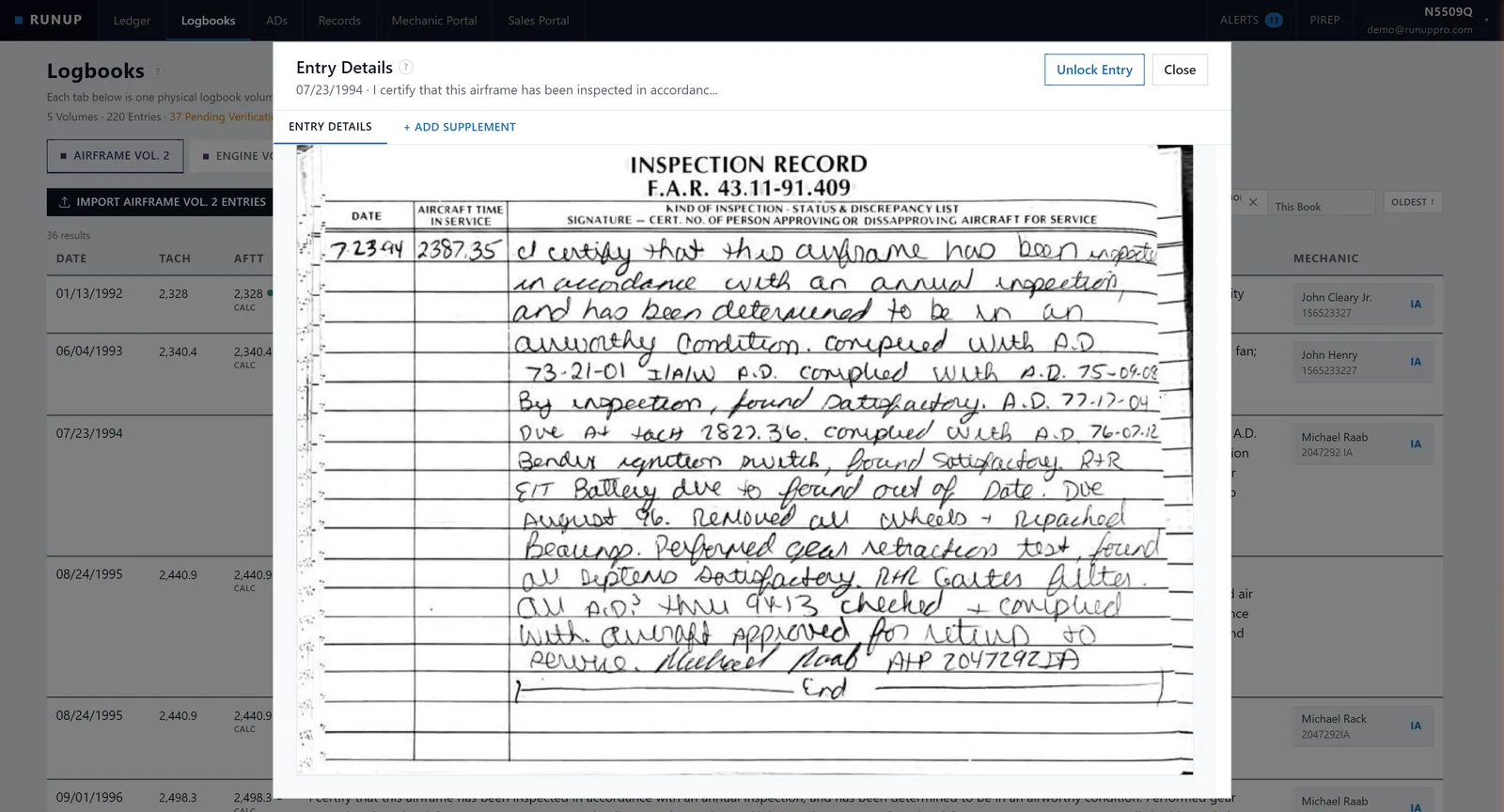
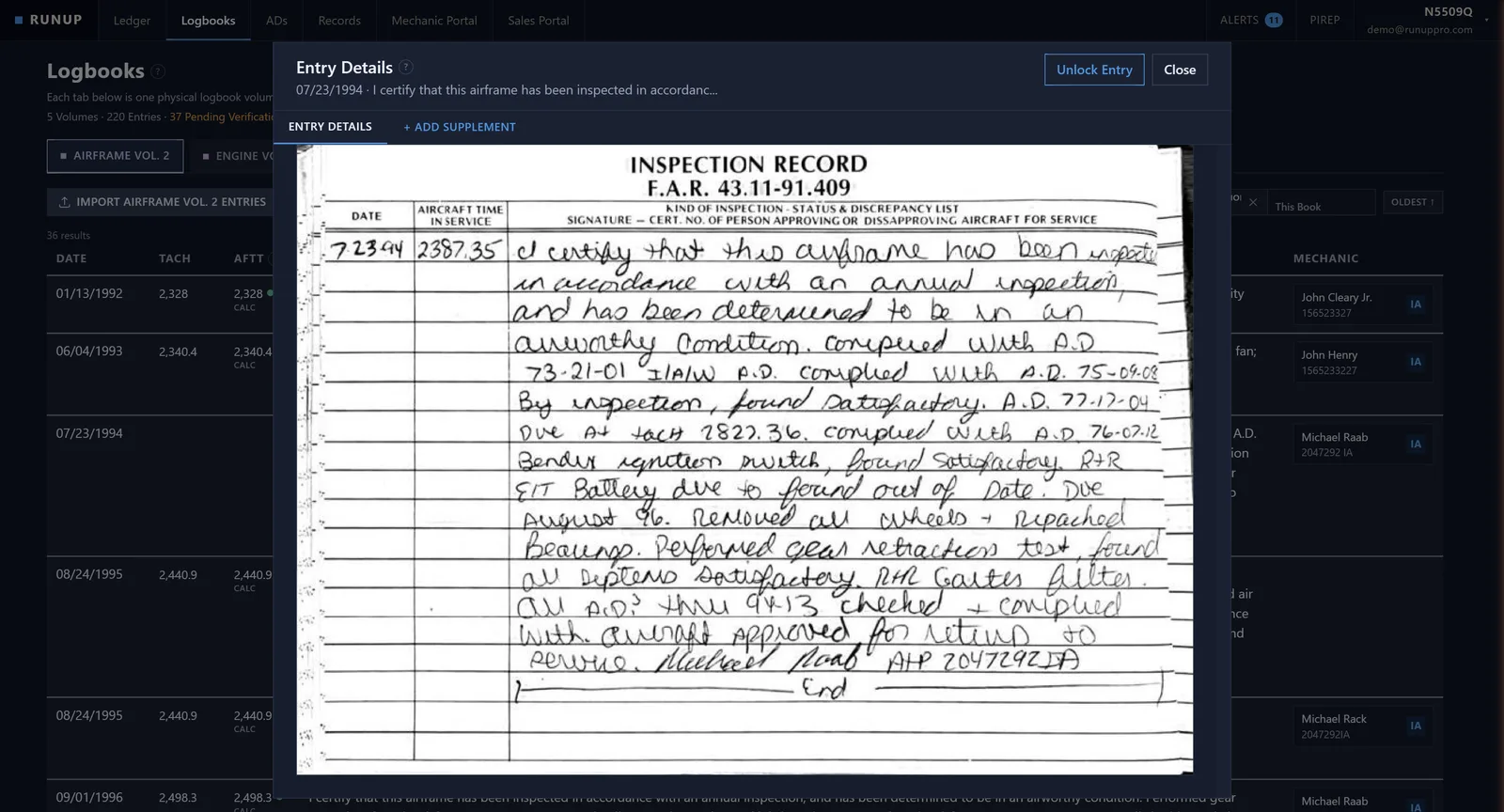
Take photos of your paper logbook pages and let our advanced OCR engine extract every maintenance entry. Upload 337s, invoices, STCs, and supplements alongside them. Attach 8130-3s, prop balancing reports, and other supporting documents directly to entries. Original scans stay viewable at all times for instant verification whenever you need them.
- Advanced multi-pass OCR engine built for handwritten logbook pages
- AI-powered extraction pulls dates, work performed, tach times, compression results, signatures, and more
- Attach 8130-3s, prop balancing reports, and other supplements directly to the logbook entries they belong to
- Original scans viewable alongside every extracted entry for instant verification
- Review every entry against the original before accepting. Nothing changes without your approval
Compliance and Maintenance
Track ADs, schedule maintenance, and stay compliant
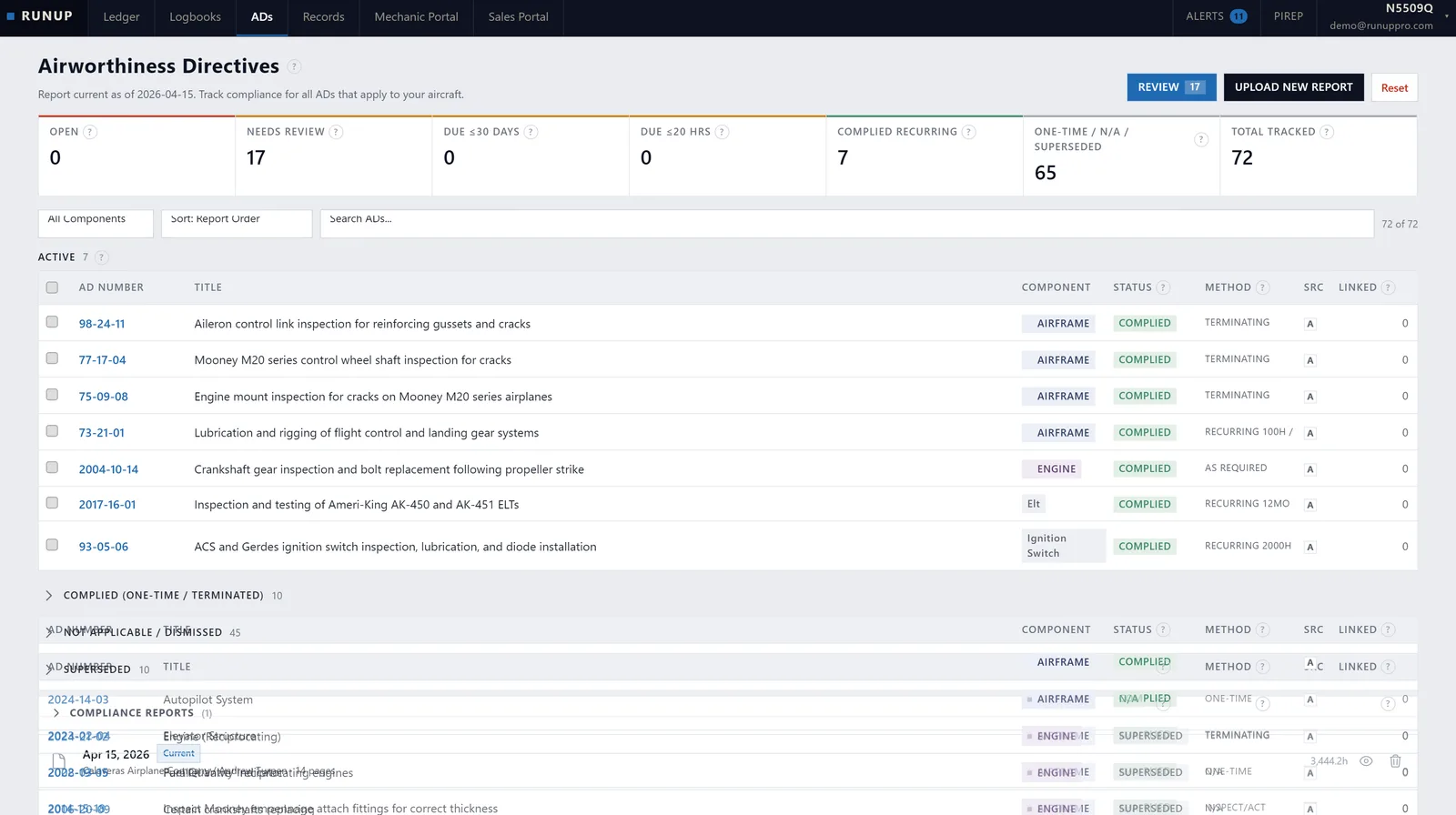
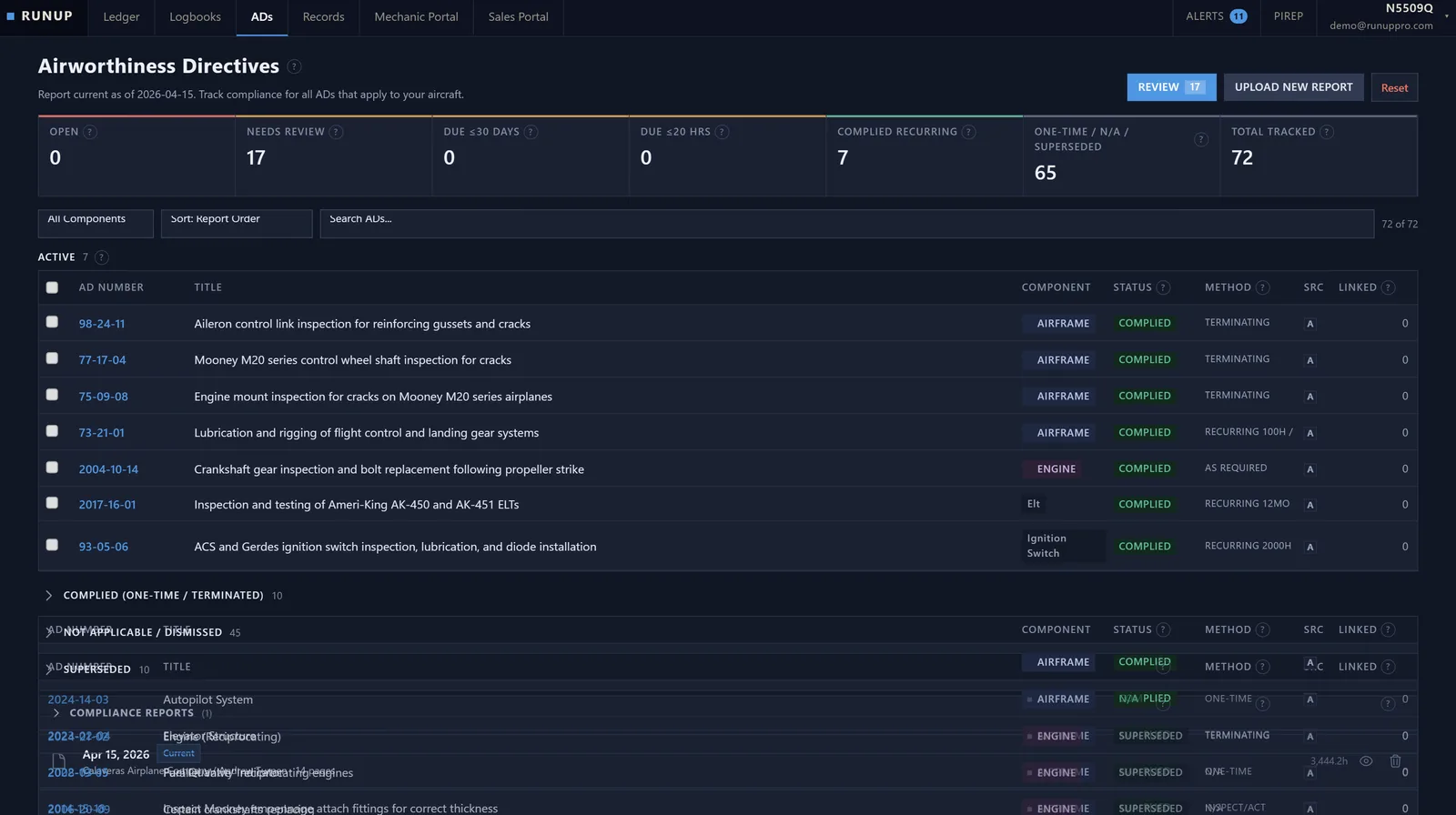
Manage airworthiness directives and maintenance records from one dashboard. Upload your compliance report to auto-import your AD history, track what's due, and keep every maintenance entry organized by airframe, engine, and propeller.
- Upload your annual compliance report to auto-import your complete AD history
- Real-time dashboard showing open directives, recurring items coming due, and compliance status
- Separate logbook volumes for airframe, engine, and propeller with maintenance type tagging
- Review, dismiss, or mark ADs as not applicable as you work through your list
- Manual entry creation and entry verification workflow for work done outside the scanning process
Instant Search
Find any entry in seconds, not hours
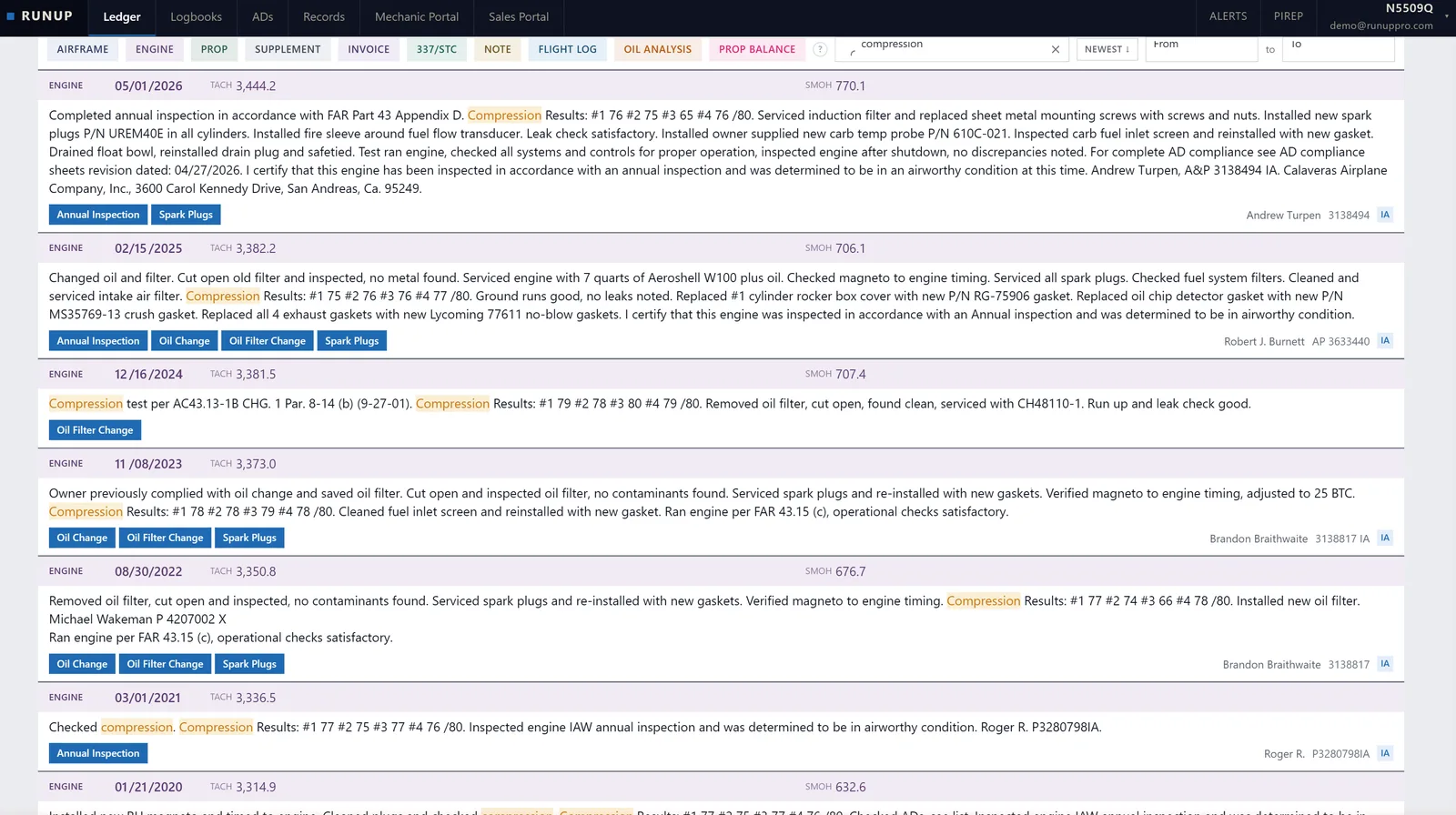
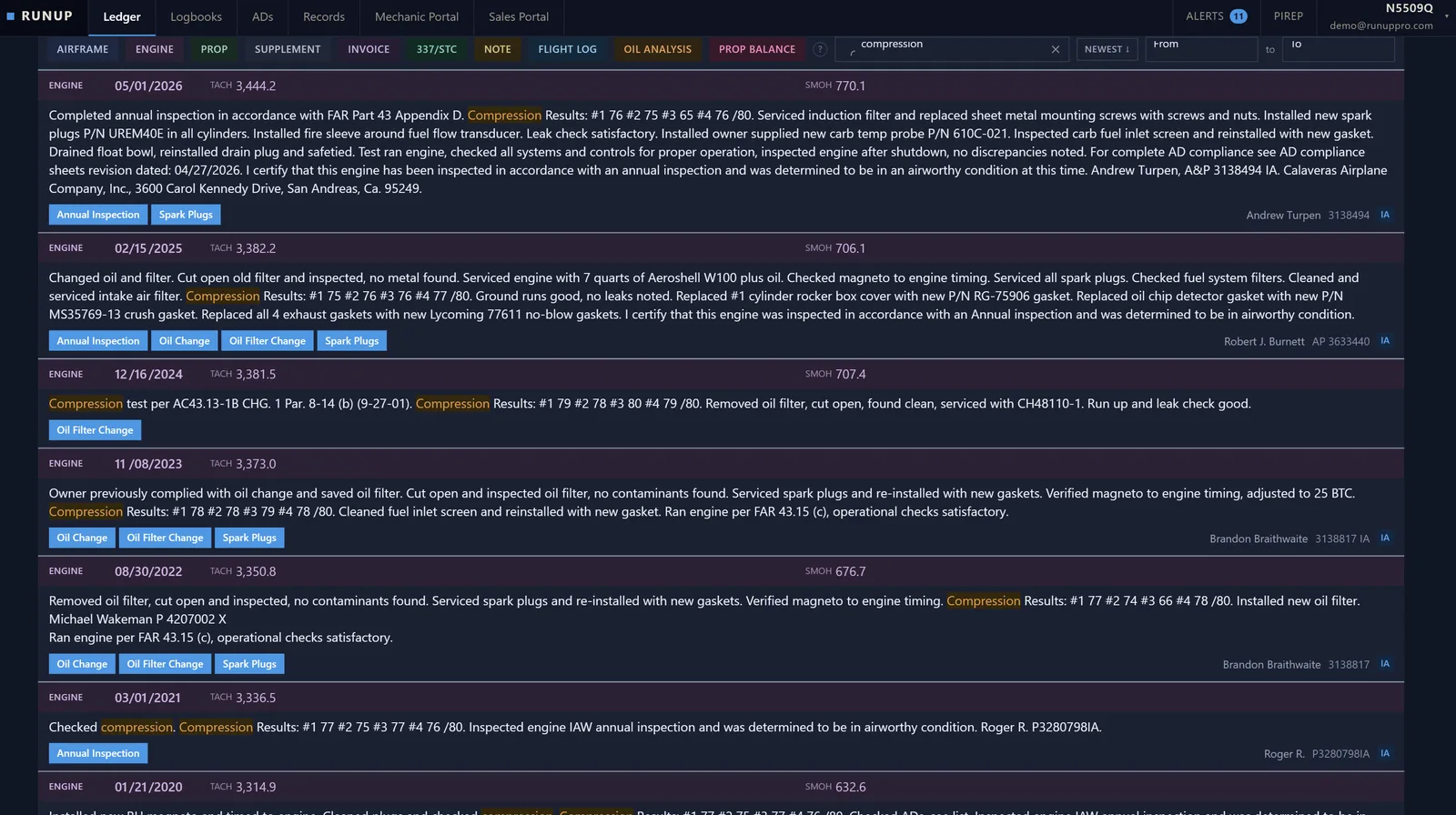
Full-text search across your entire maintenance history for the selected aircraft. Need to find the serial number on the starter, or compare the last few compression tests? Search instead of flipping through binders.
- Search across all logbooks, records, and documents for your aircraft
- Filter by date range, maintenance category, or keyword
- Results show the original scan alongside the extracted text so you can verify
- Find what you need in seconds instead of hours
Time Validation
Catch time discrepancies before they become problems
Runup calculates proper engine and propeller times from your logbook entries and displays them alongside the written times. When the numbers don't match, you'll know before your mechanic finds it during an annual.
- Calculated engine and prop times displayed alongside written tach and hobbs values
- Flags time discrepancies and out-of-sequence entries automatically
- Tracks engine and propeller times independently for twins
- Ensures future logbook entries are filled out with accurate, validated times
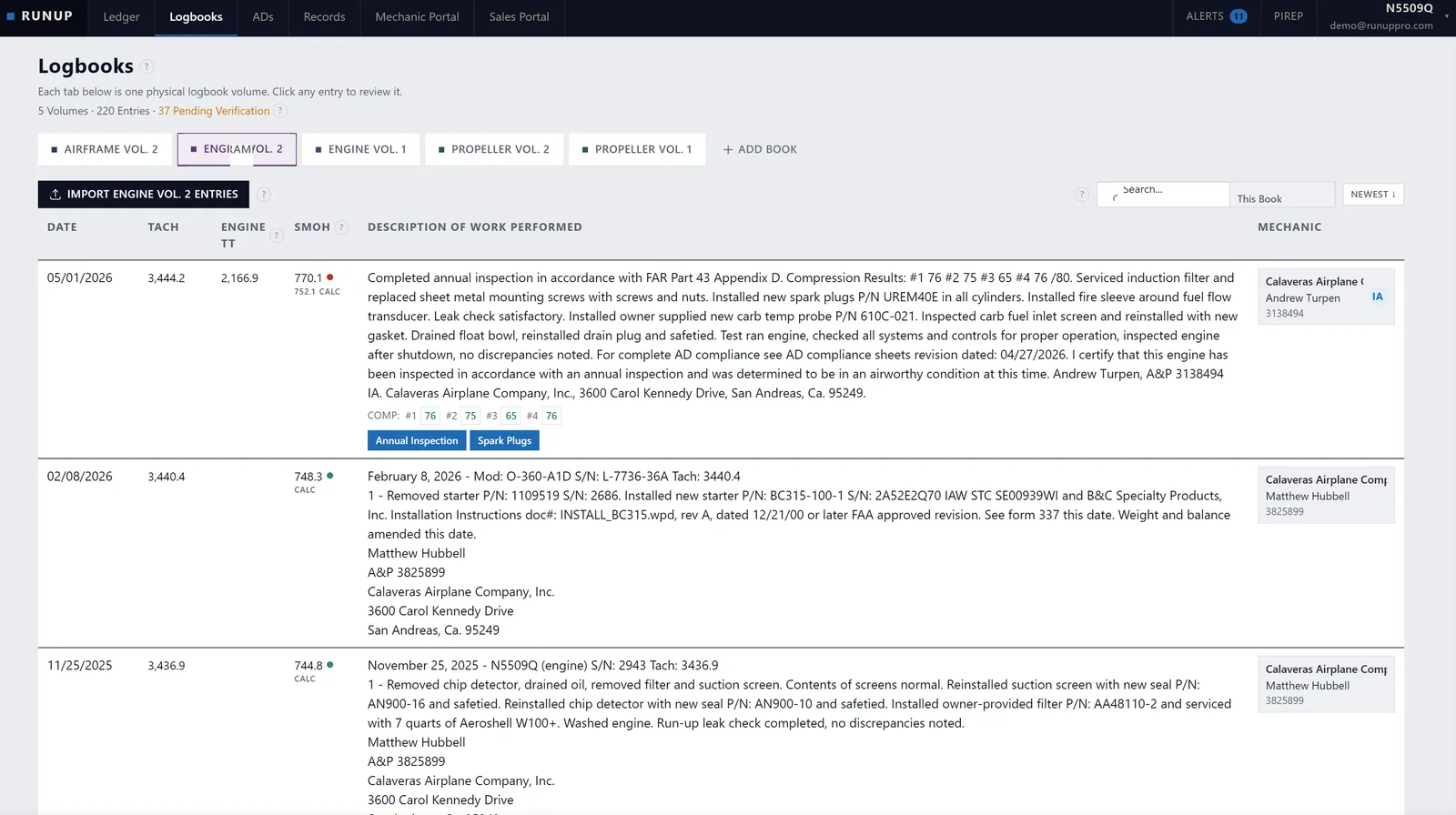
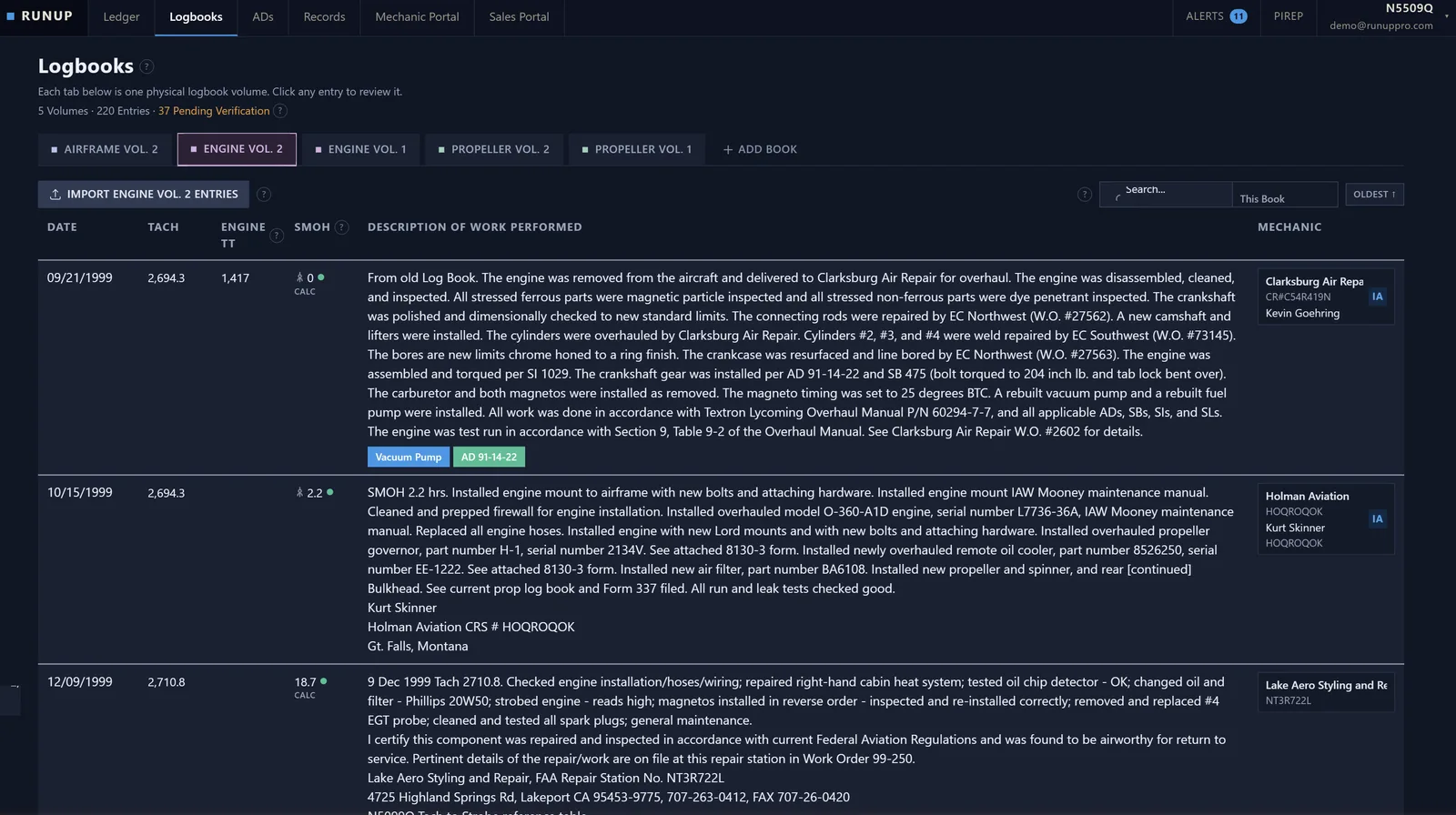
Chronological Ledger
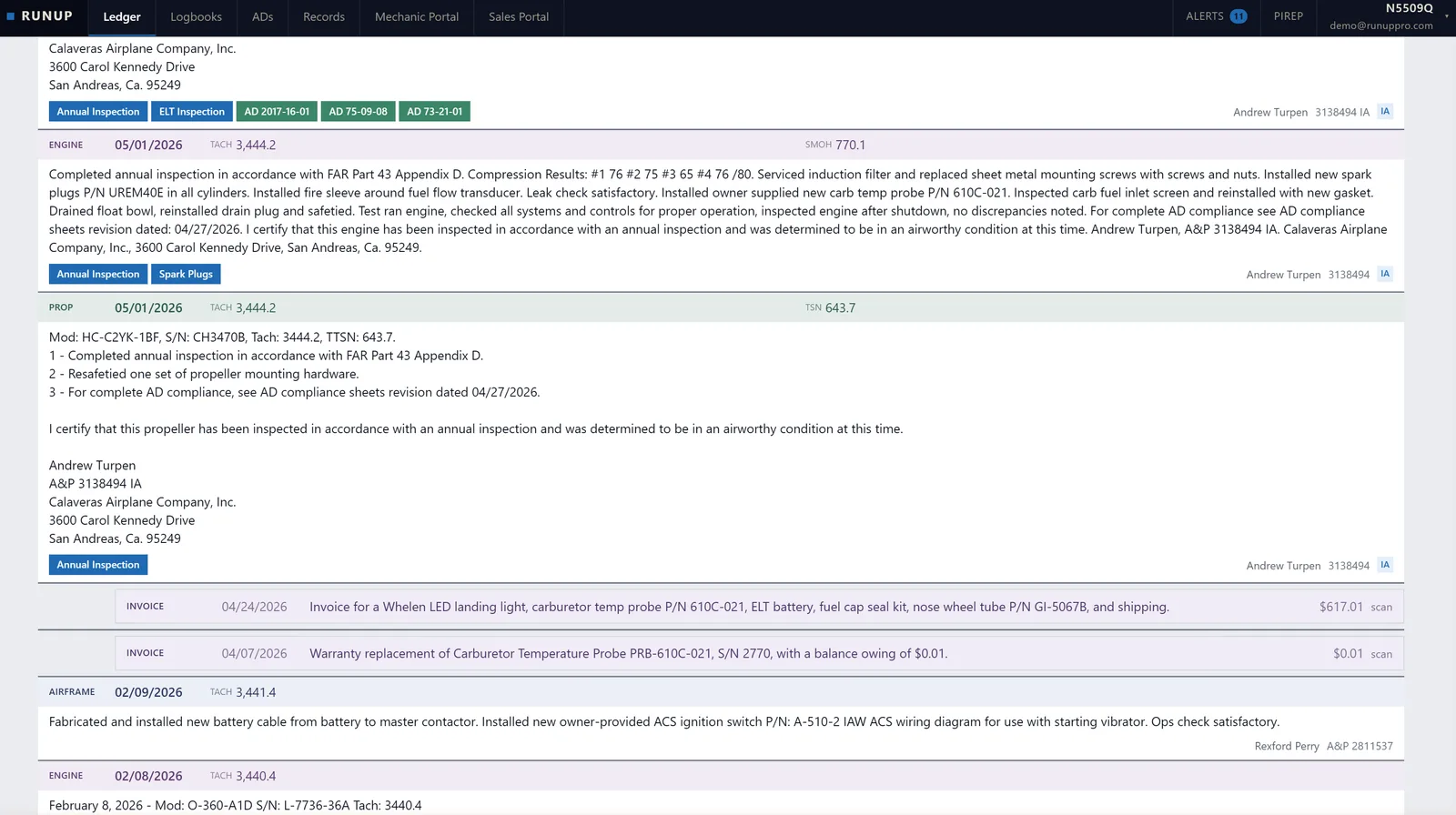
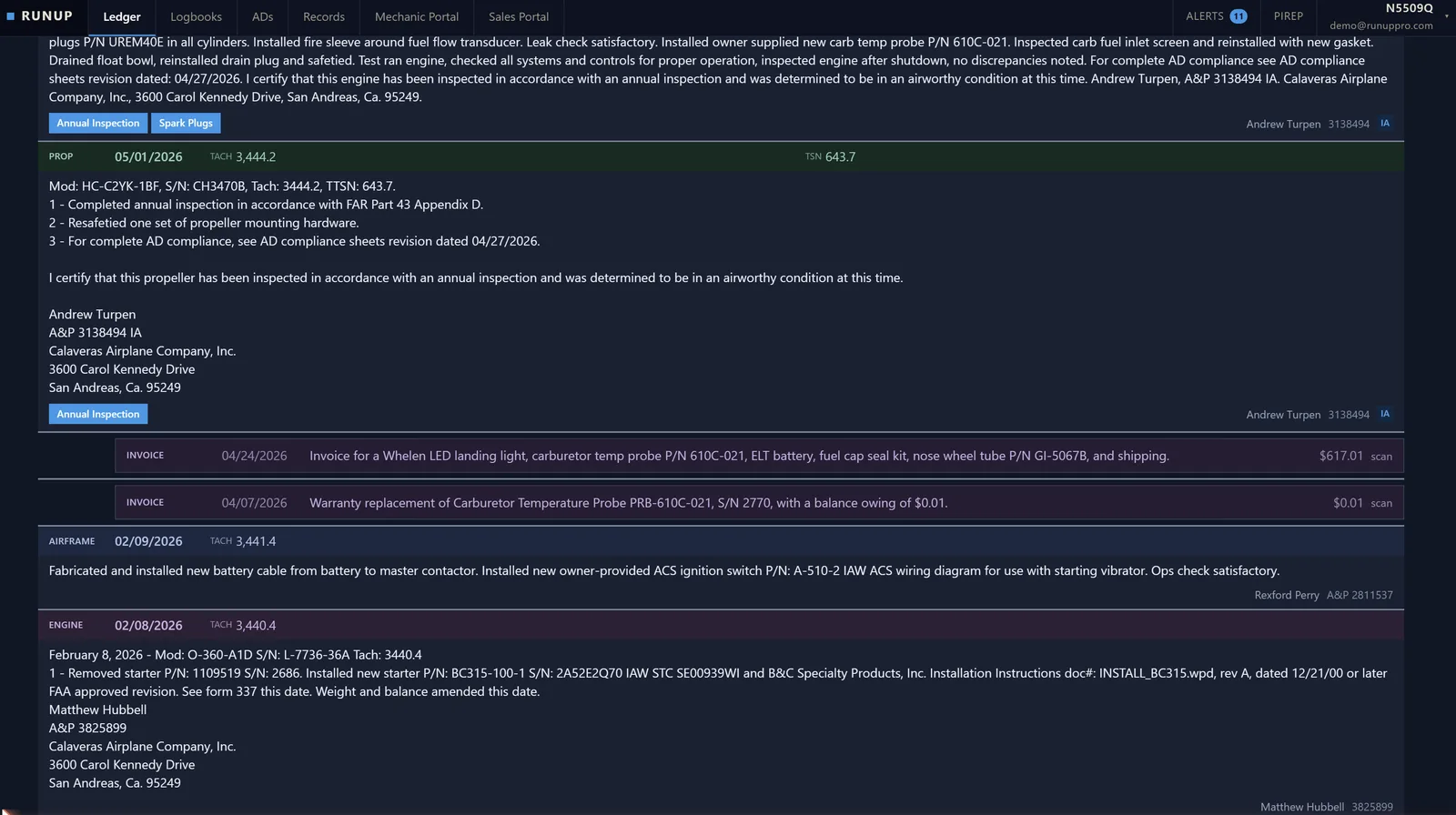
Your aircraft's complete story, one timeline
Every logbook entry, invoice, 337, and supplement arranged in a single chronological view. See the full maintenance narrative of your aircraft without jumping between binders and folders.
- Unified timeline spanning all logbook types: airframe, engine, and propeller
- Color-coded entries by document type for quick scanning
- Filter by record type, logbook, date range, or search by keyword
- See the complete picture before an annual or a purchase decision
Mechanic Access
Share with your A&P, keep the originals
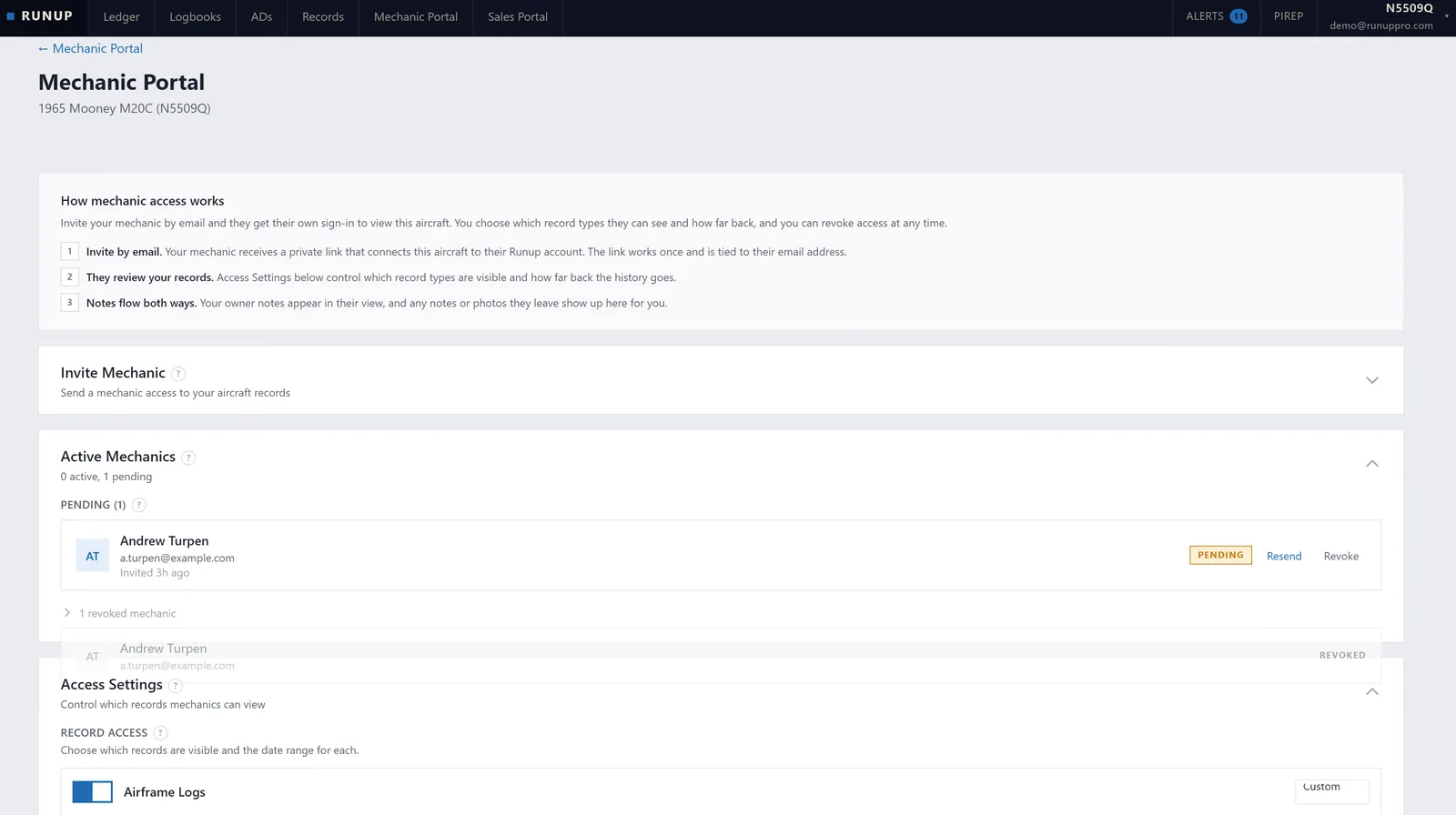
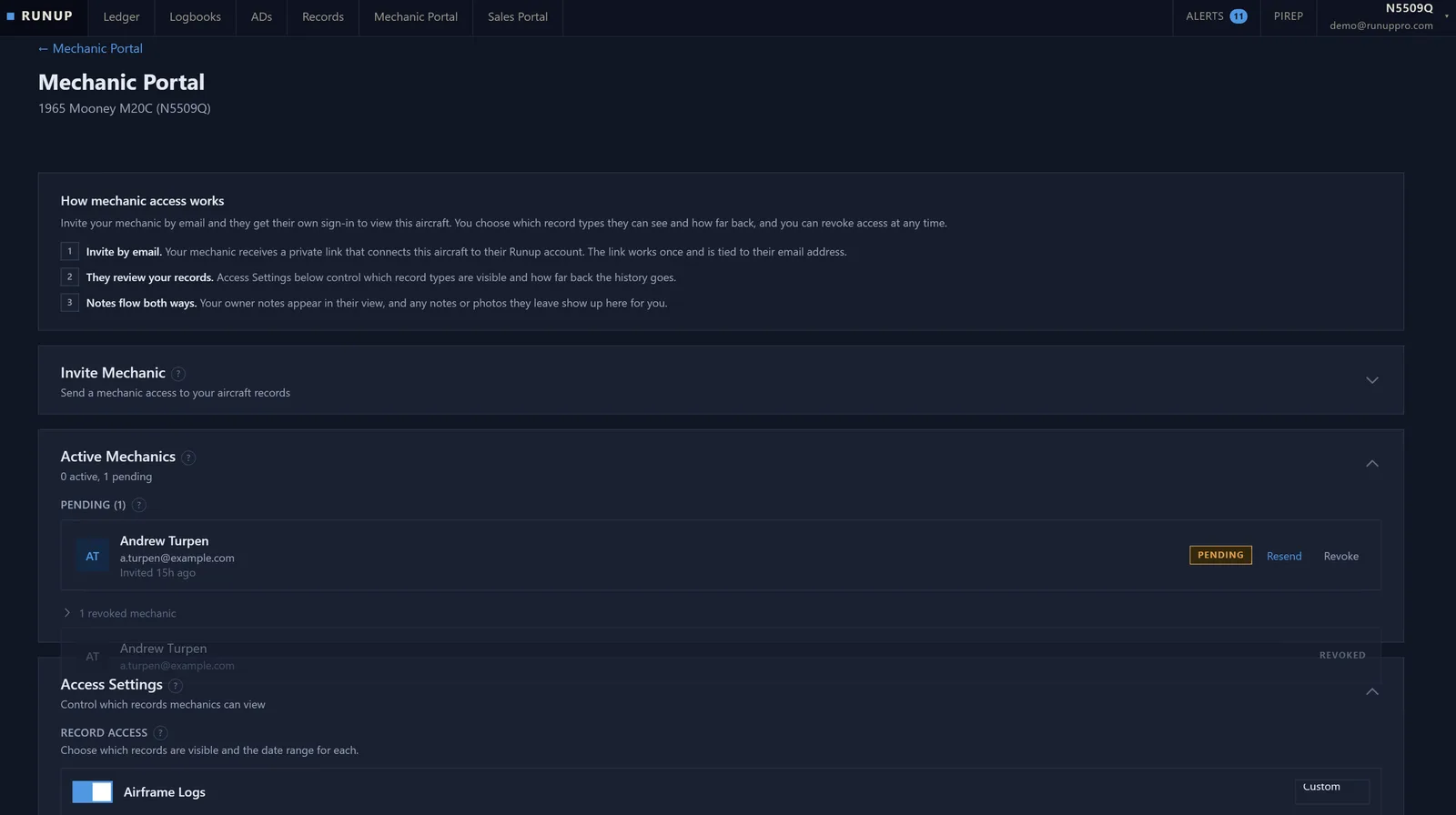
Give your mechanic secure digital access to your logbooks for annuals and inspections. No more dropping off binders at the shop and hoping nothing gets lost or coffee-stained.
- Invite your A&P with a secure access link
- Scoped read-only access so they see what they need, nothing more
- Mechanics can search and browse without handling original documents
- Revoke access anytime with one click
Sales Portal
Sell your aircraft with confidence
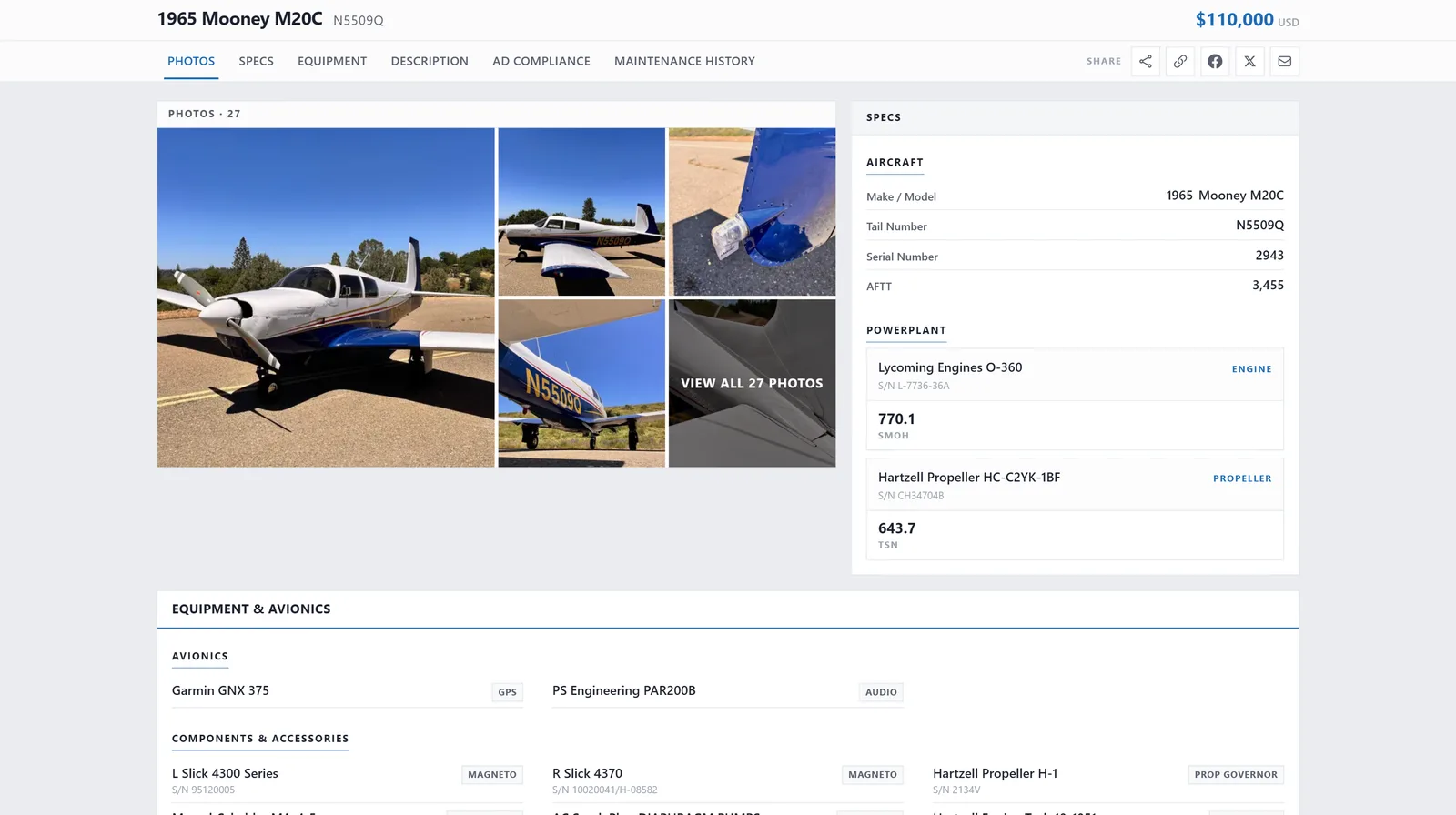
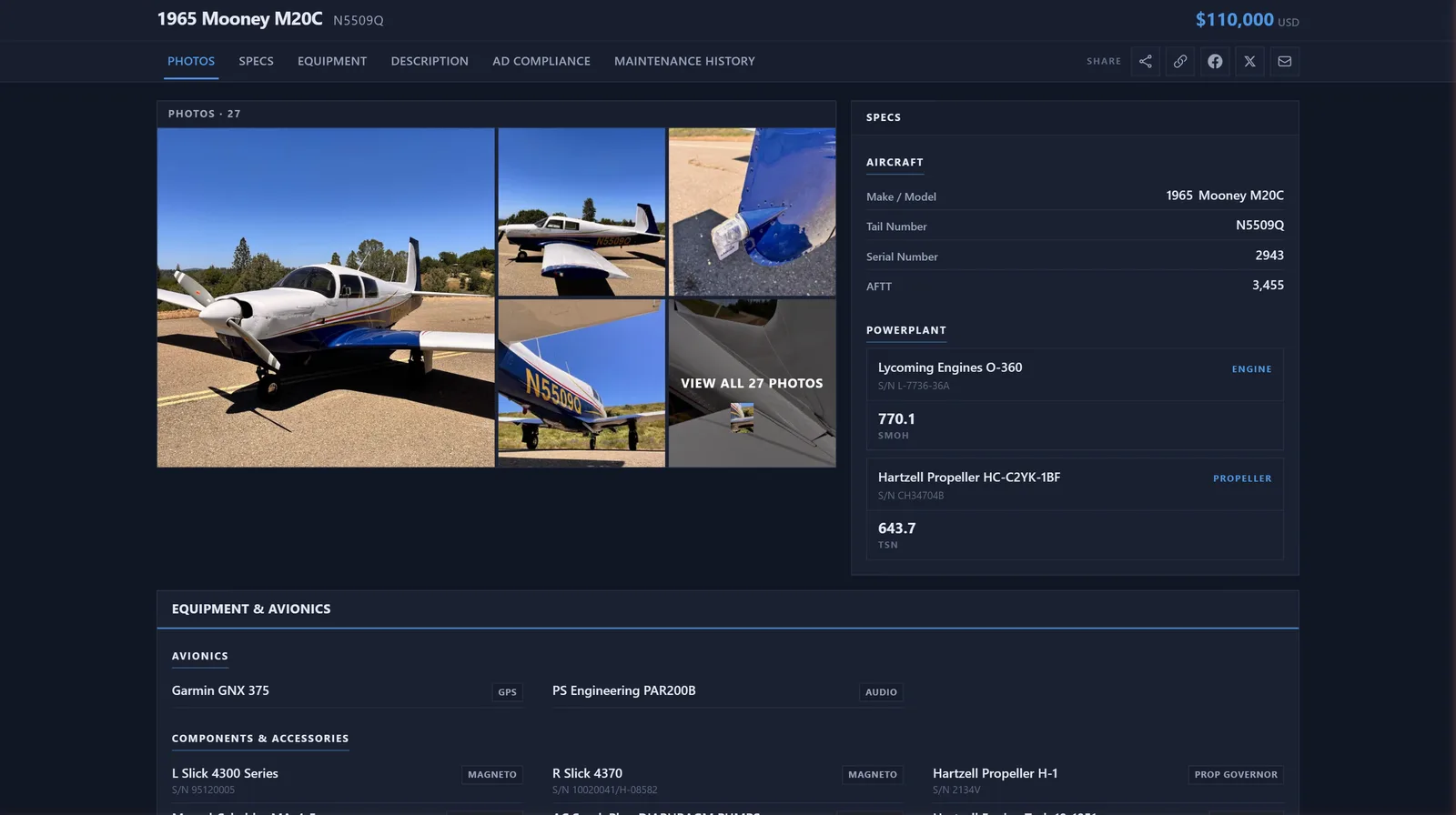
When it's time to sell, generate a professional buyer portal in minutes. Instead of emailing raw PDFs to every interested buyer and fielding the same questions over and over, prospective buyers browse a searchable, organized record of your maintenance history online.
- Generate a shareable portal link with one click
- Built-in analytics to gauge buyer interest and track engagement
- Buyers provide their contact info to unlock deeper levels of records access automatically
- Control exactly which records are visible and manage access levels from your dashboard
Ready to digitize your logbooks?
Start with the free tier, no credit card required. Upload your first logbook pages and see the results in minutes.
Get Started Free